Customer Portal
A Portal Your Team
Will Actually Love
Give your team the tools they need: call history, voicemail, phonebook, queue controls, and more, all from a beautiful, modern interface.
Real-Time Dashboard
Live extension status, active calls, queue membership. One glance tells you everything happening on your phone system right now.
- Live presence indicators show who’s available, on a call, or away
- Active call count and queue membership at a glance
- BLF key display with one-click speed dial and transfer
- Personalized dashboard scoped to your extension and permissions
Call History & Recordings
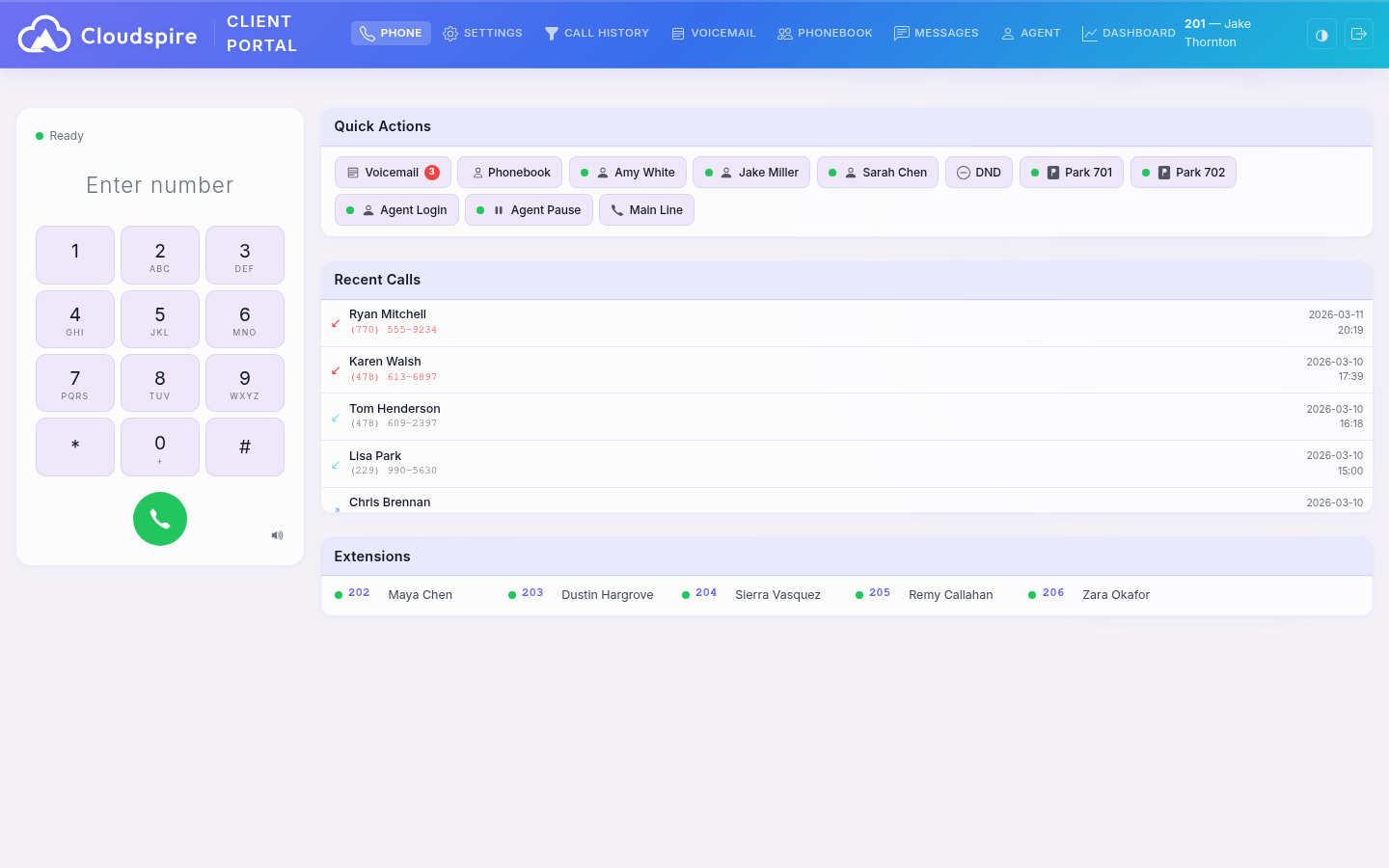
Complete call detail records with one-click recording playback. Search by date, number, or direction. Download recordings or play them right in the browser.
- Full call history with caller ID, duration, and disposition
- Inline audio player: listen to recordings without leaving the page
- Search and filter by date range, phone number, or call direction
- Download recordings for offline review or compliance archiving
- Inbound, outbound, and missed call breakdown with visual indicators
Unified Messaging
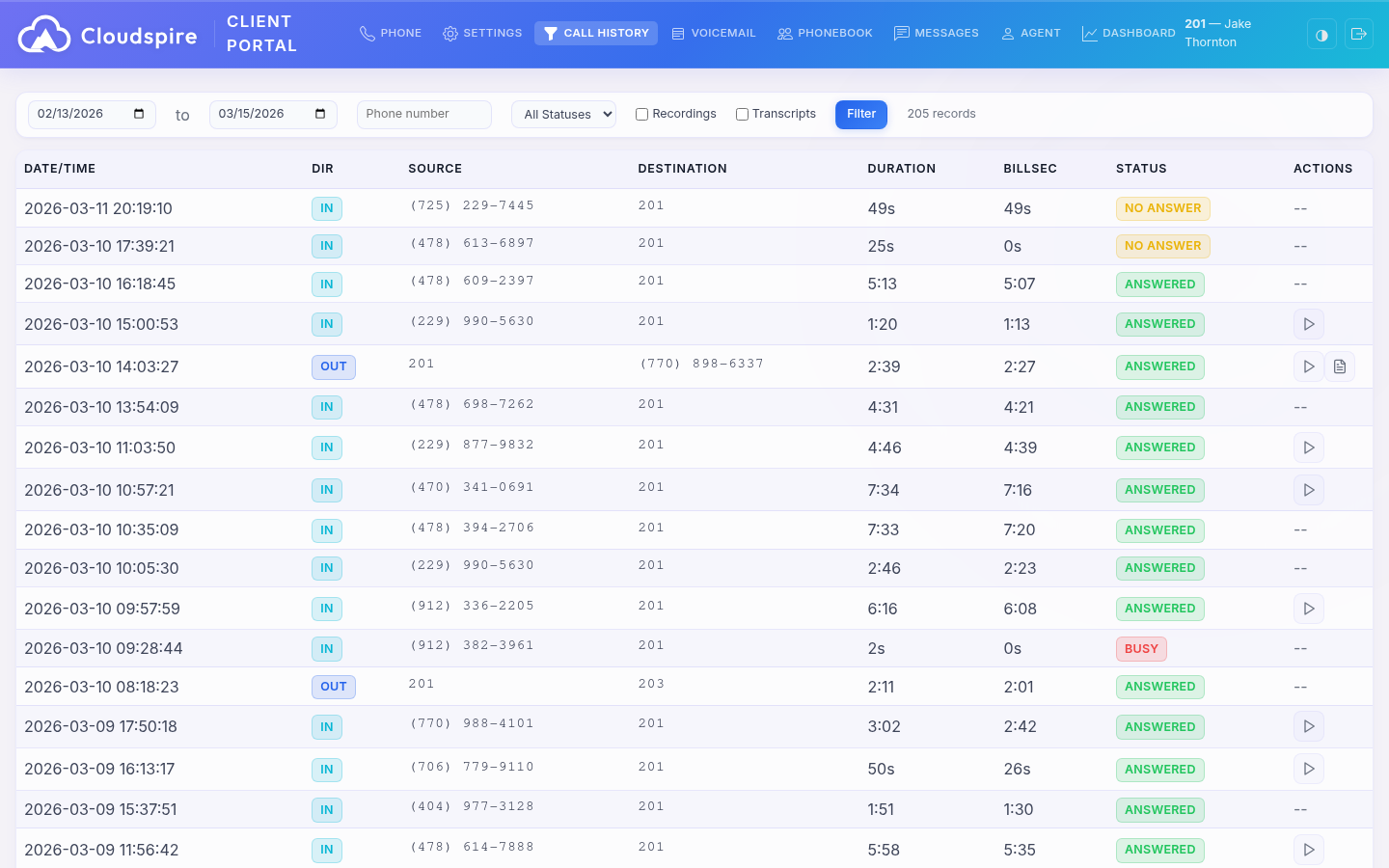
One inbox for team chat, SMS, and group conversations, with external participants joining via text message. Real-time delivery, read receipts, and full conversation history.
- Internal team chat: instant, free, with typing indicators
- SMS and MMS on your business phone numbers: inline image previews on the portal and in the iOS app
- Group conversations with internal and external participants
- Read receipts, typing indicators, and real-time delivery
- Contact resolution from phonebook and CNAM
- Email forwarding fallback so MMS images reach you even if the recipient extension can’t inline them
Visual Voicemail
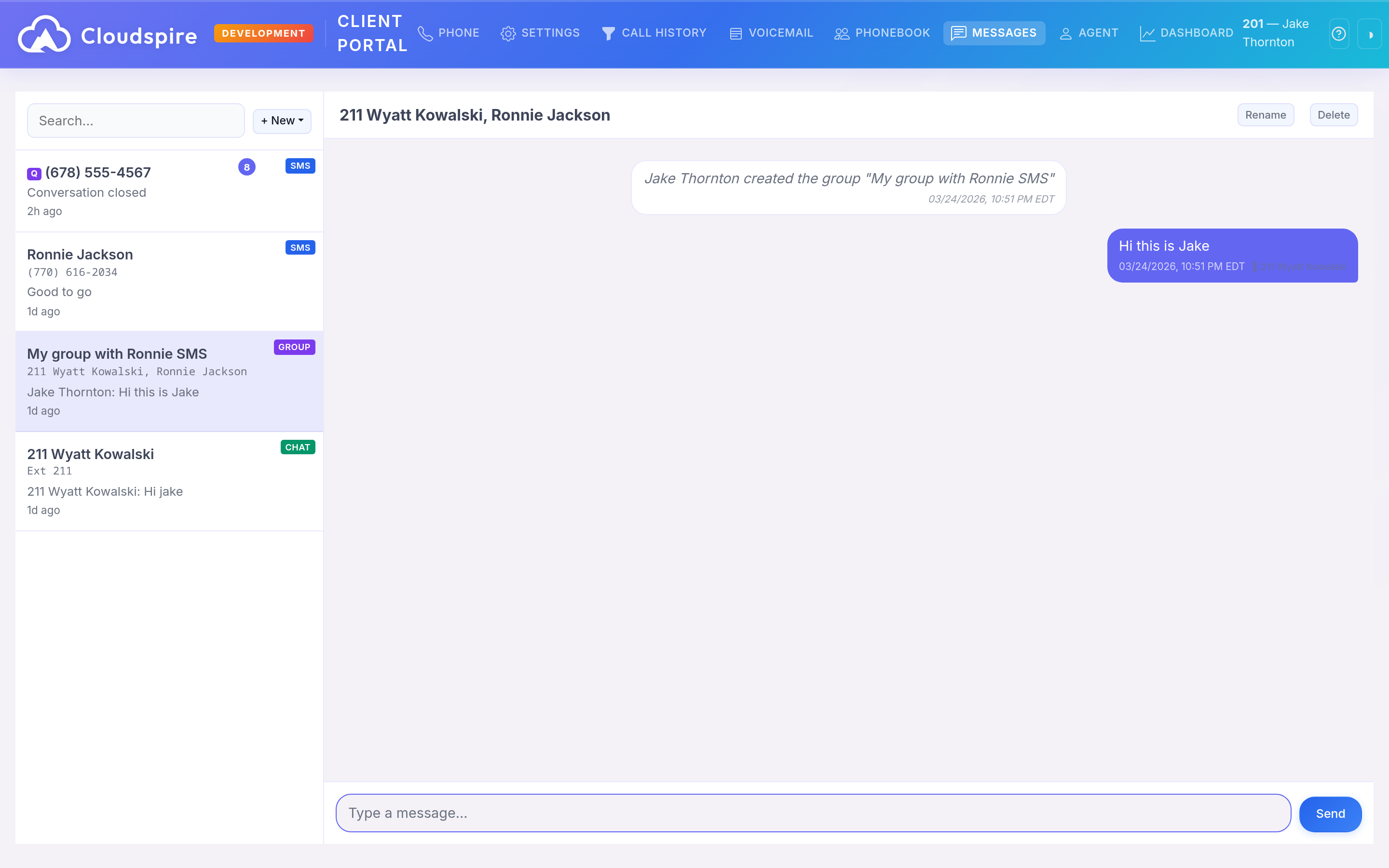
Listen, manage, and organize voicemail messages without dialing in. Visual inbox with caller ID, timestamp, and duration. Download or delete with a click.
- Visual voicemail inbox with caller ID, time, and message duration
- One-click playback: no more dialing *97 and pressing buttons
- Download individual messages as audio files
- Mark as read, archive, or delete in bulk
- New voicemail indicators with unread count badge
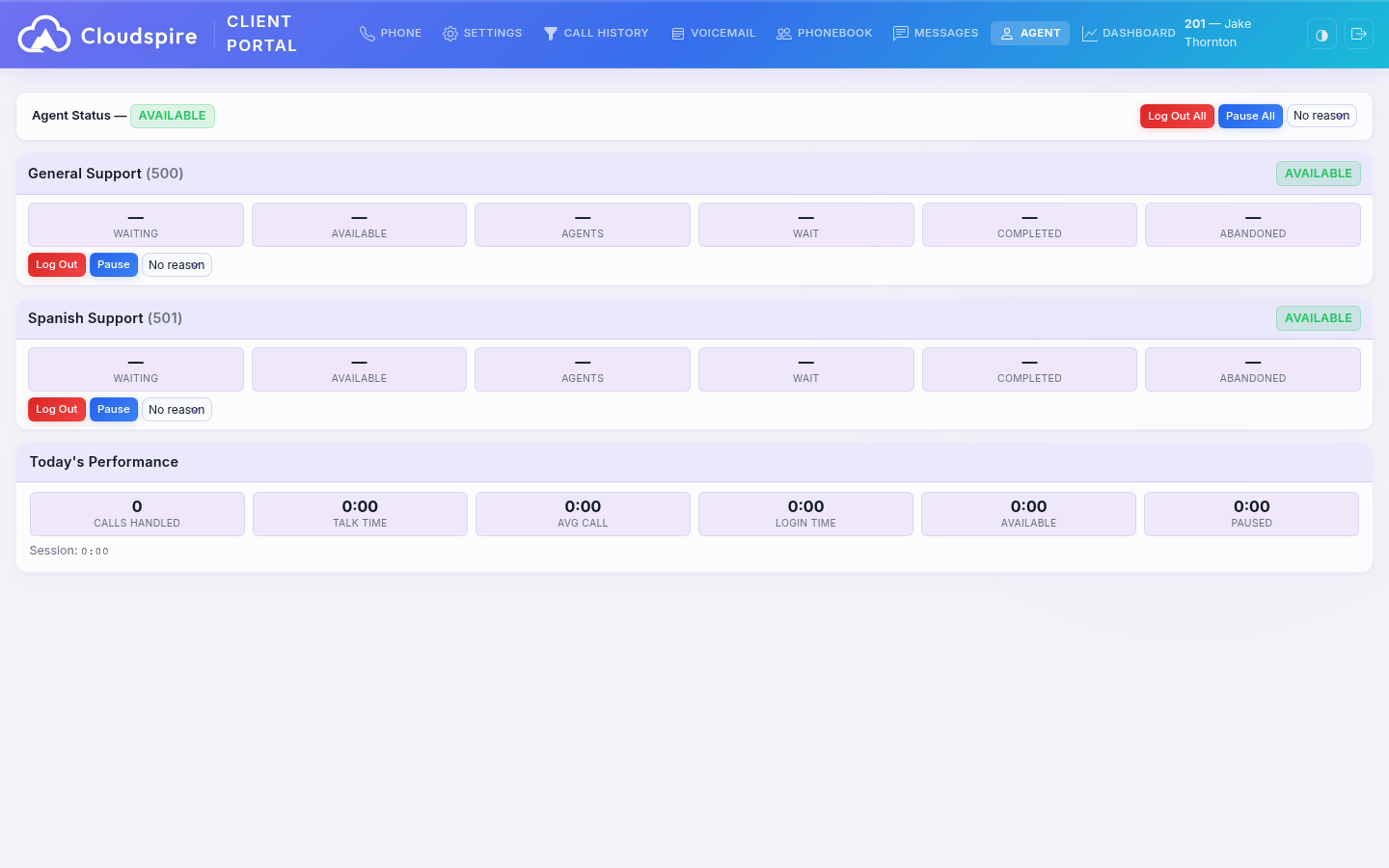
Agent Queue Controls
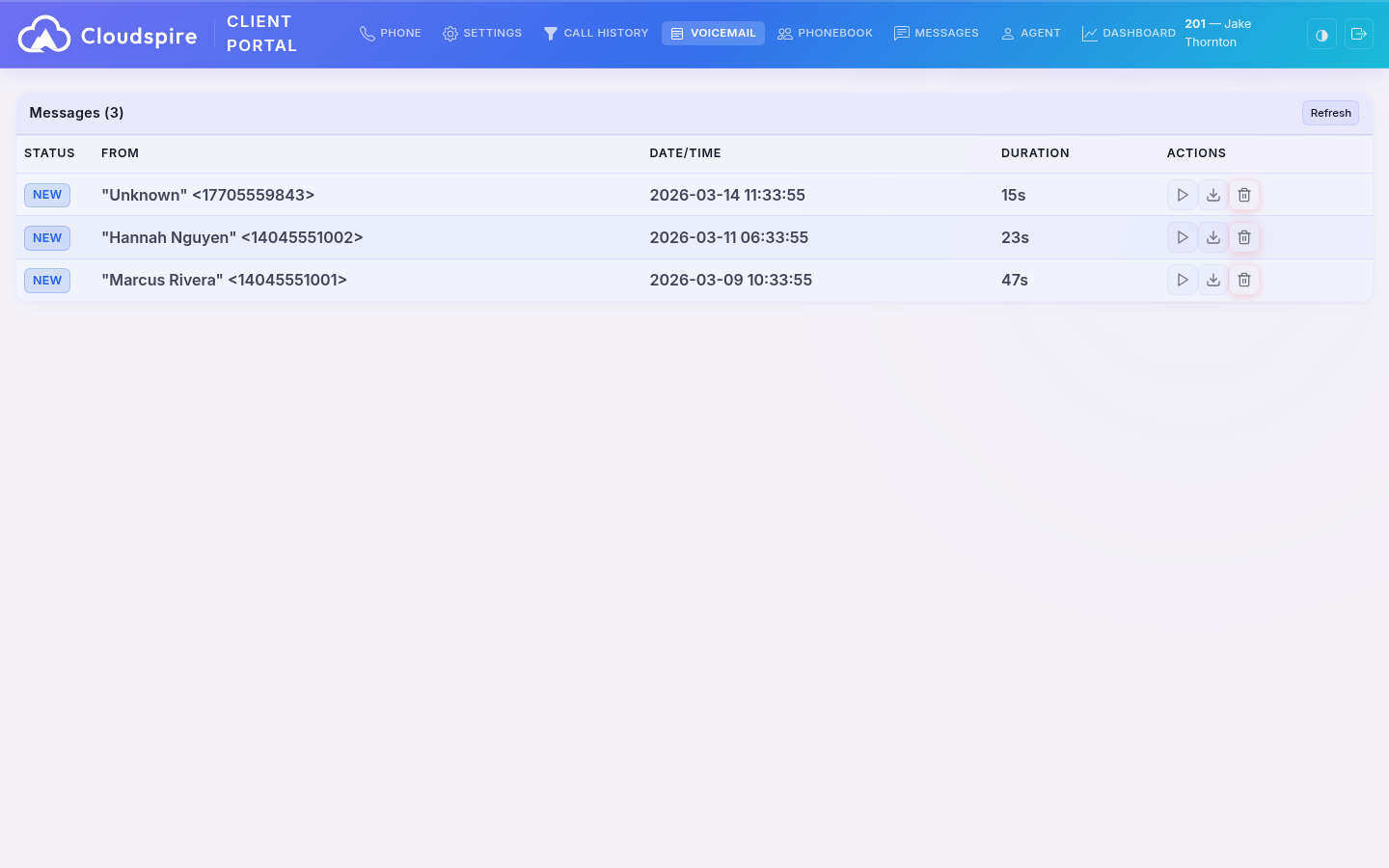
Queue agents can log in, pause, and manage their queue memberships directly from the portal. Supervisors see real-time agent status and queue statistics.
- One-click queue login, logout, and pause from any browser
- Real-time queue statistics: calls waiting, average wait time, agents available
- Multi-queue membership management from a single view
- Pause reason codes for break tracking and workforce analytics
- Supervisor view with live agent status across all queues
- SMS queue controls: claim, release, and transfer text conversations
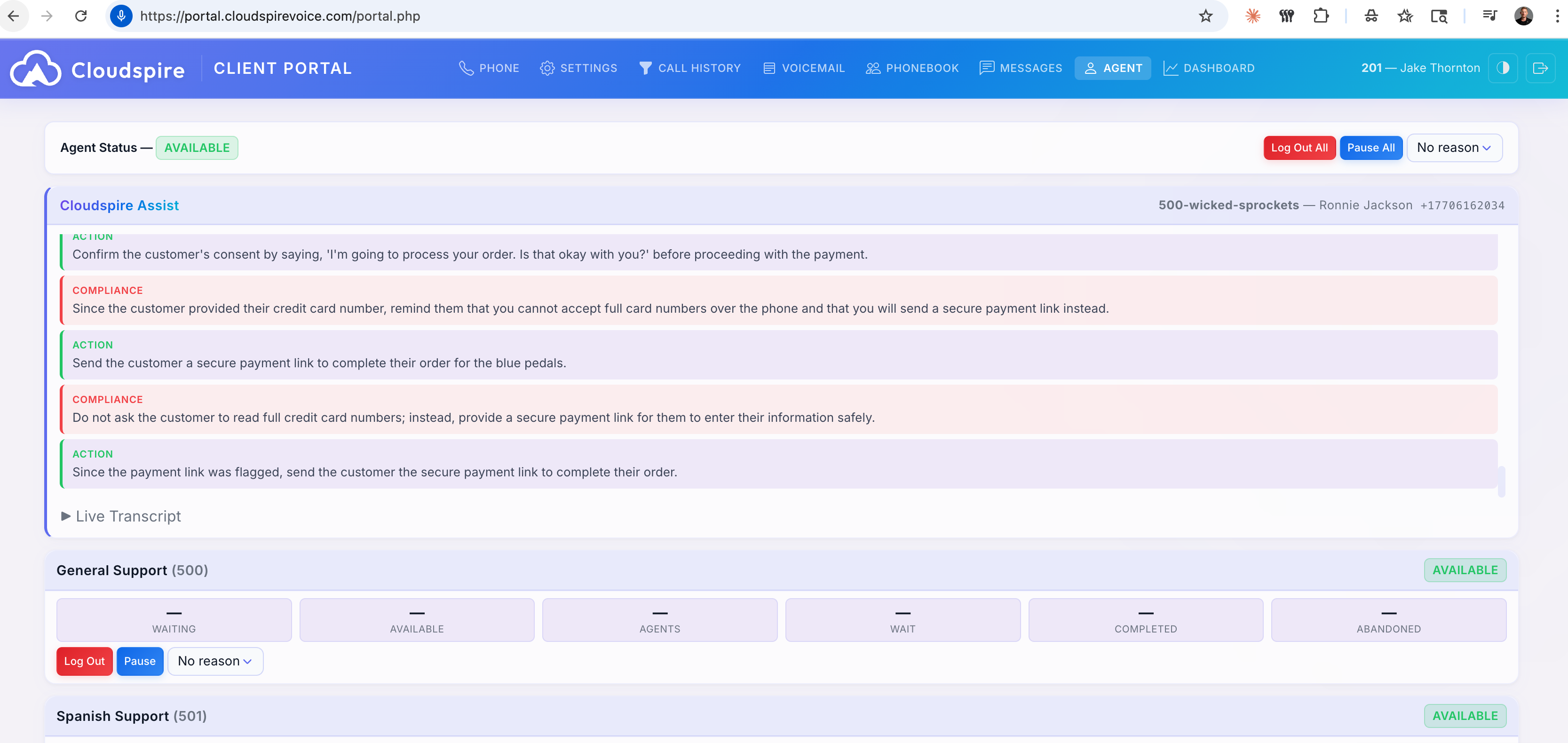
Real-Time AI Agent Coaching
When a queue call connects, Cloudspire Assist appears automatically in the agent’s portal. Live audio is transcribed in real time, analyzed against your company runbook, and actionable guidance is delivered directly to the agent, all within seconds.
- Color-coded guidance cards: compliance, action items, runbook facts, suggestions
- Catches policy violations in real time: PCI compliance, payment plan limits
- Collapsible live transcript shows the full conversation flow
- Auto-shows on call connect, auto-hides on hang up: zero agent effort
- Full session history for QA review and coaching
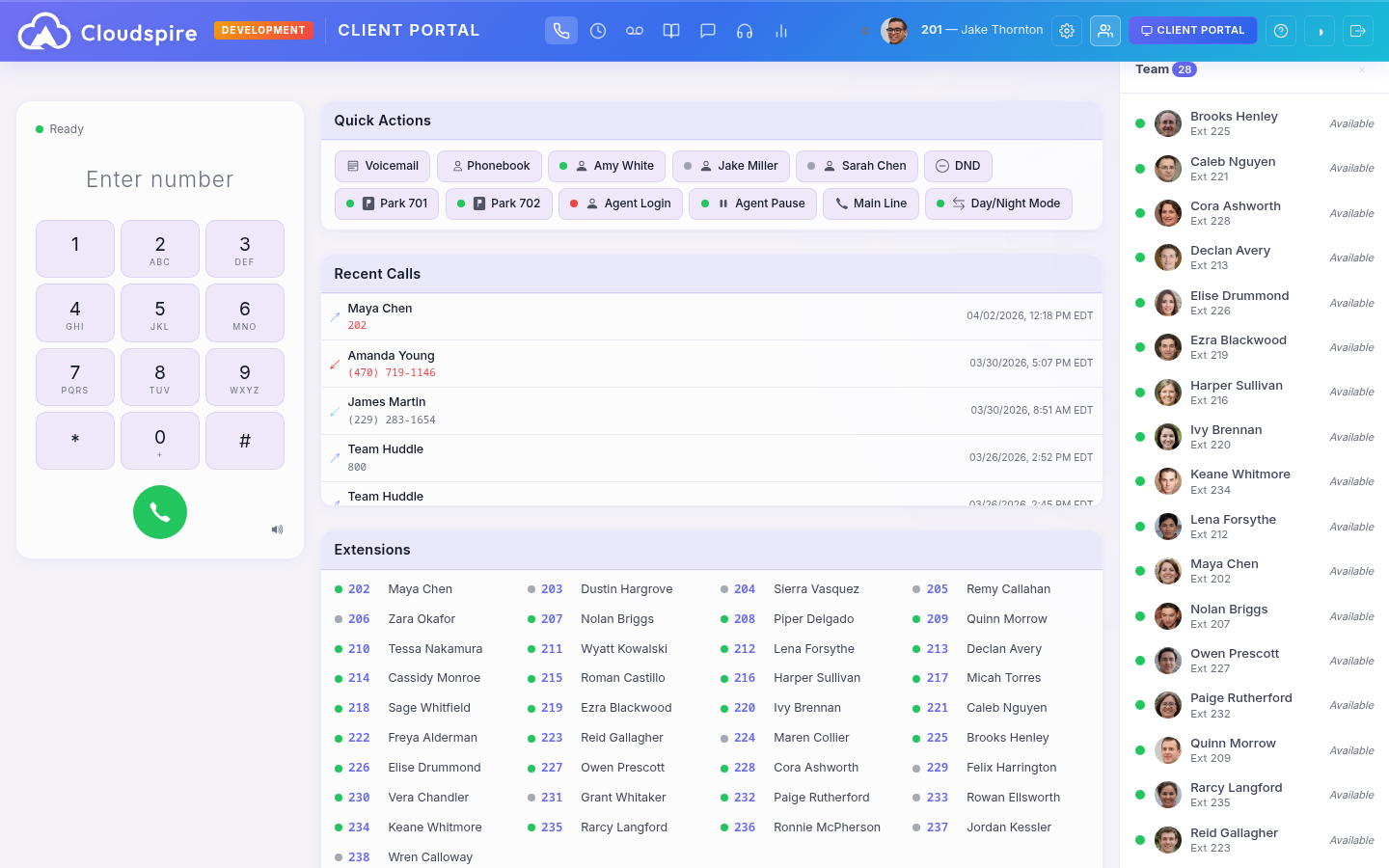
Team Presence: See Who’s Available at a Glance
Real-time availability status for your entire team. See who’s available, in a meeting, away, or on a call, with profile photos and custom status messages. Set your own status with one click, including auto-expiry timers. Integrated with DND and BLF for consistent status across all devices.
- Profile photos and color-coded status dots for every team member
- Custom status messages with optional auto-expiry timers
- Synced with DND and BLF: one status across phones and portal
- Always-visible sidebar shows your entire team at a glance
Create & Track Support Tickets
Open support tickets directly from your portal. Track status, reply to conversations, and reopen closed tickets, all without leaving your dashboard. Your support team gets instant email notification when you submit a request.
- Submit new support requests with subject, description, and priority
- Track ticket status from open through resolved
- Reply to conversations and reopen closed tickets when needed
- Instant email notifications keep your support team in the loop
Built-In Ticketing
No separate help desk login needed; support is part of the portal experience.
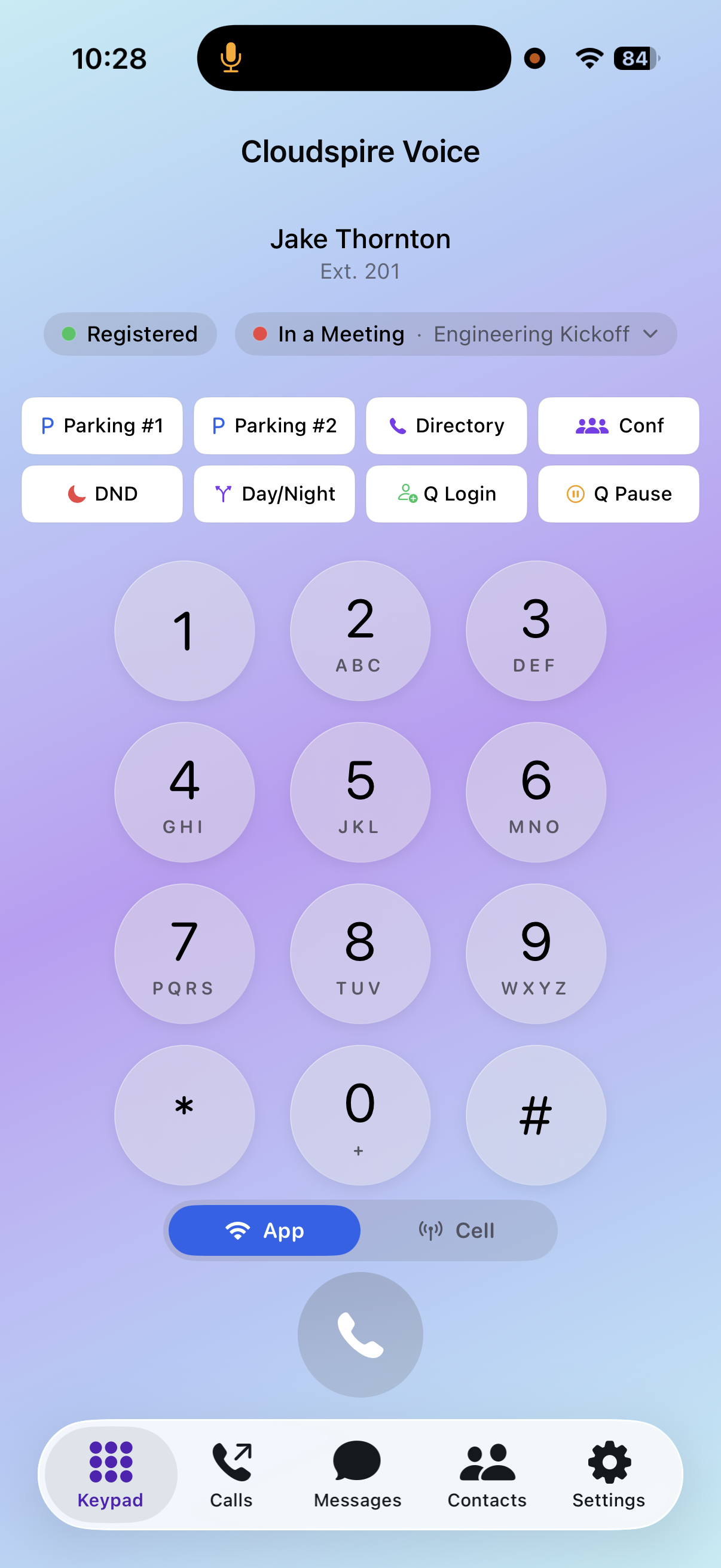
Cloudspire Voice for iPhone
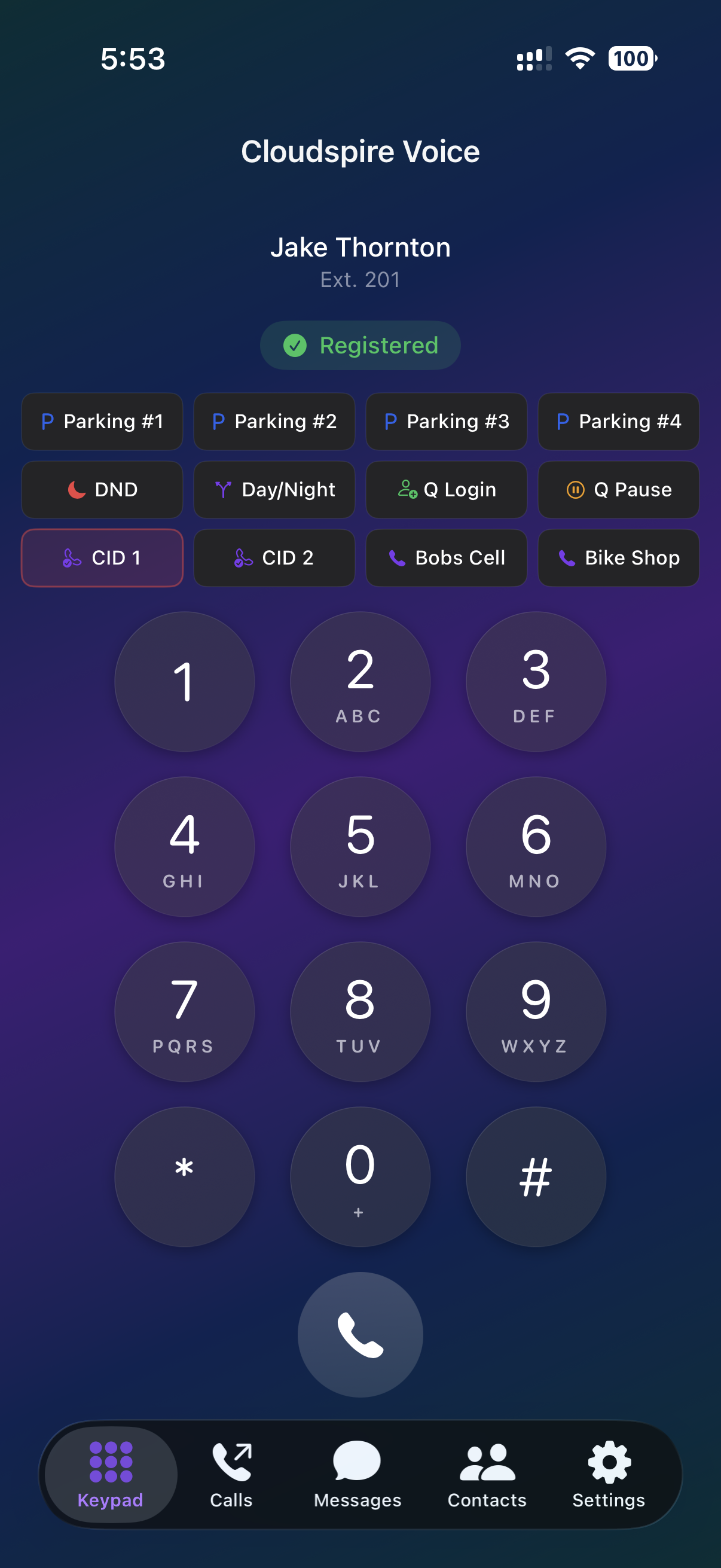
A native iOS app that’s a real CallKit-integrated business phone, not a wrapper around the browser portal. Incoming calls ring on the lock screen like any iPhone call, even when the app isn’t open. Available now on the App Store; Android in development.
- Native CallKit + PushKit integration: lock-screen ringing, full background reliability
- Attended transfer (Merge/Swap), blind transfer, 3-way conference, parking lots, BLF transfer
- Cellular Callback dial mode: rings your cell first, bridges through the company trunk; outbound CID is your business number
- Dynamic audio quality (HD/SD/Dynamic) with TURN relay for clean WiFi↔cellular handoff
- Visual voicemail with AI transcripts, MMS picture messages, typing indicators, BLF presence
- One-scan QR onboarding from your welcome email: no manual server/credential entry
Ad-Hoc Conferences You Actually Use
Dial *39<num> from any phone to open a private conference room. Mark it discoverable and your teammates see it in their portal Conferences card, one click to join. No emails, no scheduling, no Zoom links.
- Open a room from any extension or the iOS app keypad in seconds
- Mark discoverable to let teammates join with a single click from the portal
- Tenant-level kill switch: admins control whether discovery is enabled
- Automatic cleanup after the last participant hangs up: no orphaned rooms
Portal Highlights
Everything Your Team Needs,
In One Place
Beyond calls and voicemail, the portal is packed with features that make day-to-day communication effortless.
Dark & Light Themes
Automatic theme detection matches your system preference. Toggle between dark and light mode anytime; your choice is remembered across sessions.
Unified Messaging
Team chat, SMS, and group conversations with external participants, all in one real-time inbox with read receipts and typing indicators.
Company Phonebook
Searchable company directory with click-to-call and department filtering. Find anyone in your organization instantly and reach them with one click.
Settings Management
Manage call forwarding rules, voicemail greetings, caller ID selection, and personal preferences, without opening a support ticket.
Authentication
One Login,
Complete Access
Sign in once with your extension or email address. Voice portal users and CRM portal users share a single login page. Users with access to both can seamlessly switch between portals with one click, no re-authentication needed. Passkey sign-in (Touch ID, Face ID, Windows Hello, security keys, or your password manager) is the primary path: phishing-resistant and passwordless. Magic links remain available for first-time onboarding from the welcome email.